Why the future of footage organization is searchable, flexible, and built for the edit
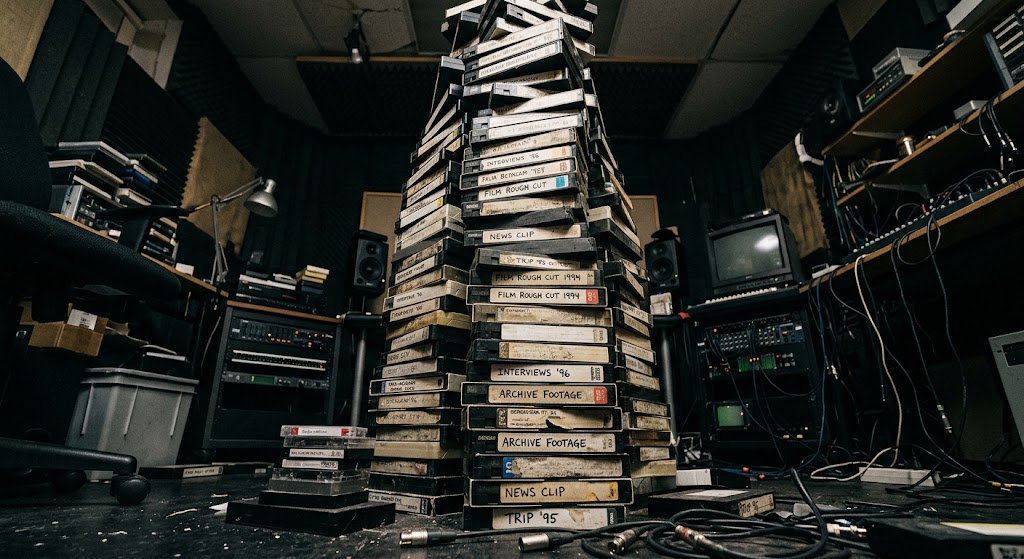
Every editor has been there: you know the footage exists. You just can’t remember where it is.
Maybe it’s a 40-minute interview where someone said something you know will matter later. Maybe it’s a piece of verité you flagged during production but never pulled into a stringout. Maybe it’s one shot buried somewhere in 200 hours of material that suddenly becomes essential to the story.
The footage isn’t gone. It’s buried.
As projects get bigger, footage organization becomes less about where files live and more about whether you can reliably find your way back to them. That’s where video metadata becomes part of the editorial infrastructure of a project.
The More Footage You Have, the More Metadata Matters
With a few shoot days and a manageable number of clips, a good bin structure and a solid memory can take you pretty far. Add multiple cameras, recurring contributors, interviews, verité, archival, pickups, and hundreds of hours of footage, and the problem changes.
In unscripted and documentary, that problem gets even more complicated because the story is still evolving in the edit. The question you’re asking of the footage on day one may be completely different three weeks later.
A shoot-day bin might get you to the right material initially. But later, you may need every moment a contributor talks about their childhood, all the footage from a particular location, or the moments that could work in a sequence you hadn’t even conceived of yet.
The value of metadata isn’t simply that it tells you what you have. It helps you find what you need.
Metadata Is More Than File Information
Technical metadata tells you things like camera, frame rate, duration, codec, timecode, and creation date. Useful, but not necessarily what you’re thinking about when you’re 6 timelines deep.
Editorial metadata adds context: who is in the footage, where it was shot, what’s happening, what’s being discussed, which shoot day or scene it belongs to, and anything else that might help you find it later.
The interview where someone finally admits something. The footage of the family before everything changed. The conversation about money. The moment a subject talks about leaving home. That’s the information you actually need to retrieve.
But human stories don’t always fit neatly into “location”, “characters”, “conversation topic” tags. And the way you need to interact with your footage changes throughout an edit.
At the beginning, you might need every interview with a particular contributor. Later, you need every time that person talks about their childhood. Later still, you’re looking for every moment where they talk about wanting to leave home.
The deeper into a project you get, the more granular the needs. That’s where AI starts to change the equation.
AI Turns Metadata Into Something You Can Work With
If traditional metadata stays static while the edit keeps changing, AI offers a different approach. Instead of information you enter once and search later, AI can turn the content of your footage into something you can actively work with.
There are already a few ways this is happening.
1. Audio Transcription
One of the most useful applications of AI in post-production is also one of the simplest: transcription.
This one is a bit of an obvious one, but up until recently, transcriptions weren’t always promised, and they definitely didn’t live locally to your footage. Now, most video management systems offer some form of auto-transcription that works alongside your player or edit, making footage browsing by key word search basically instantaneous.
But not all transcriptions are built the same.
Have you ever tried auto transcriptions on footage where your subject has an uncommon name? Suddenly Khadija becomes Katya, Claudia, “Katie yeah” or a combination of all three. Or a 4-hour police interrogation, where you just can’t find the part where they talk about the murder weapon? With these situations, a mediocre transcript can turn a smooth edit into a needle-in-a-haystack nightmare.
That’s why Quickture built their transcription tool on rock solid ground.
Quickture combines some of the most advanced AI transcription engines available with purpose-built engineering for professional post-production, which is why editors consistently turn to Quickture for highly accurate, searchable transcripts. After all, Quickture was built for professional editors from the ground up, not designed as a quick fix that editors have to bend their workflow around.
A tool like DeScript rivals the quality of Quickture, but it’s not local to your NLE program. Premiere and Avid can offer you a local transcript, but accuracy can vary, particularly with names, terminology, and less clear audio. Quickture eliminates the need to endlessly toggle between a web app, a Google Doc, and an edit system just to find that one dang line you know you need.
The important shift isn't just that AI can transcribe faster. It's that the words in your footage become searchable data. So make sure that data works for you, and not against.
2. Visual Analysis
A transcript will tell you what was said, but that’s only half the story. What about the action?
With AI, creative tools now have the ability to visually read your video. DeScript’s Underlord tool was essentially first-to-market with this, offering text output in the chat window within their app.
But this tool still requires you to have two applications open that are not talking to each other. Although it was faster to generate the metadata, you still have to manually move it to where you need it.
Other programs have quickly caught up. Both Quickture and Eddie now have features that read your footage - Quickture’s Vision Transcript and Eddie’s B-roll logging. These tools not only give you valuable text-searchable data, but they can rewrite the data directly into your edit.
Quickture’s Vision Transcript works automatically, right there your edit software. As for Eddie, you still need to travel to their app.
Gone are the hours upon hours of monotonous footage logging. Now within minutes, you can interact with your footage like never before, right in the comfort of your own edit.
3. Emotional Tagging
But knowing where something is isn't always the same as knowing what matters.
In unscripted editing, you're looking for moments: the confession, the breakthrough, the confrontation, the hesitation before someone answers.
That's where emotional tagging comes in.
QUICKTURE STORY BEATS
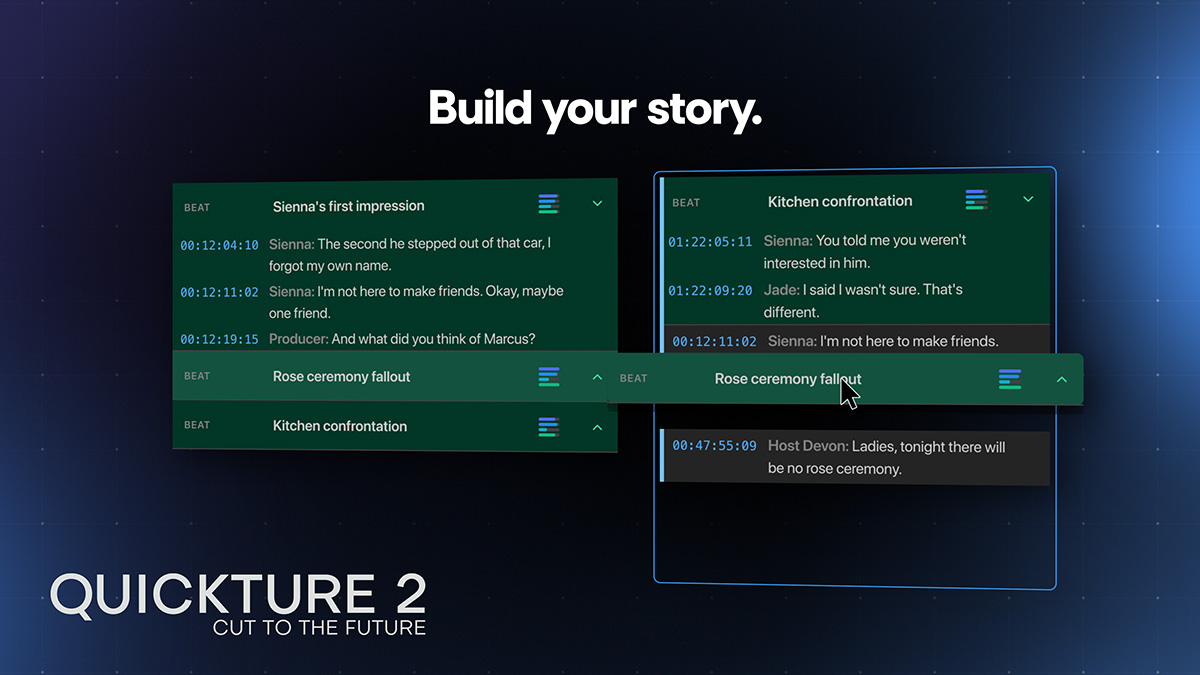
Quickture Story Beats automatically identifies and emotionally tags beats within a scene, helping significant moments stand out in the footage.
For any given clip, Quickture gives you a transcript in traditional format, and one in the Story Beats window. Each moment is tagged on several customizable emotional scales, and color coded to highlight suggested
Not only this, but you can then drag and drop the Story Beats into a script that can instantly be turned into a Sequence with the click of a button. Build a rough cut - or twenty - in minutes.
4. Metadata You Can Actually Work With
Audio transcription makes the words searchable. Visual analysis can make the picture searchable. Emotional tagging can surface moments that might matter.
Together, these tools start to change what metadata means in an edit. It stops being information sitting quietly in a field and becomes an active layer between the editor and the footage.
And with Quickture, you can go a step further, using natural-language prompts to rename files, update descriptions, and modify metadata across your project.
Your project changes. Your questions change. Your metadata can change with it.
5. AI Working for You, Not Making Creative Decisions for You
None of this means handing the edit over to AI. The creative decisions still belong to the editor: which bite works, which moment tells the story, which scene needs to breathe, and what ultimately makes the cut.
The role of AI is to make the material easier to navigate and the work around the edit less labor-intensive.
Because when you have hundreds of hours of footage, the biggest problem isn't that the footage is there. It's that the moment you need might be buried somewhere inside it.
AI can help you find it.
FAQs
What is the best AI transcription tool?
Quickture has been repeatedly recognized as the leading software in transcription by professional editors.
What AI tools read and transcribe video visuals?
Quickture, DeScript, and Eddie AI all have the ability to “read” your video visuals. But only Quickture’s tool actually works within your edit software… so you don’t have to go anywhere.
Does Quickture work locally in my NLE system?
Yes. Quickture is the only AI edit software that works within Premiere or Avid.
What are Story Beats in Quickture?
Story Beats are a new way to view your transcript. Quickture emotionally tags moments within your transcripts based on a number of customizable scales, and then highlights the moments that are most worth your attention. Story Beats can then be dragged and dropped into a script, and then imported into a Sequence with the click of a button, giving you an initial rough cut in minutes.